Vibe Browser for
Give Claude on the web control of your browser
Settings → Connectors → Add → Add custom connector. Paste your https://relay.api.vibebrowser.app/mcp/<your-routing-uuid> URL and Claude drives your real Chrome — web, Cowork and mobile.
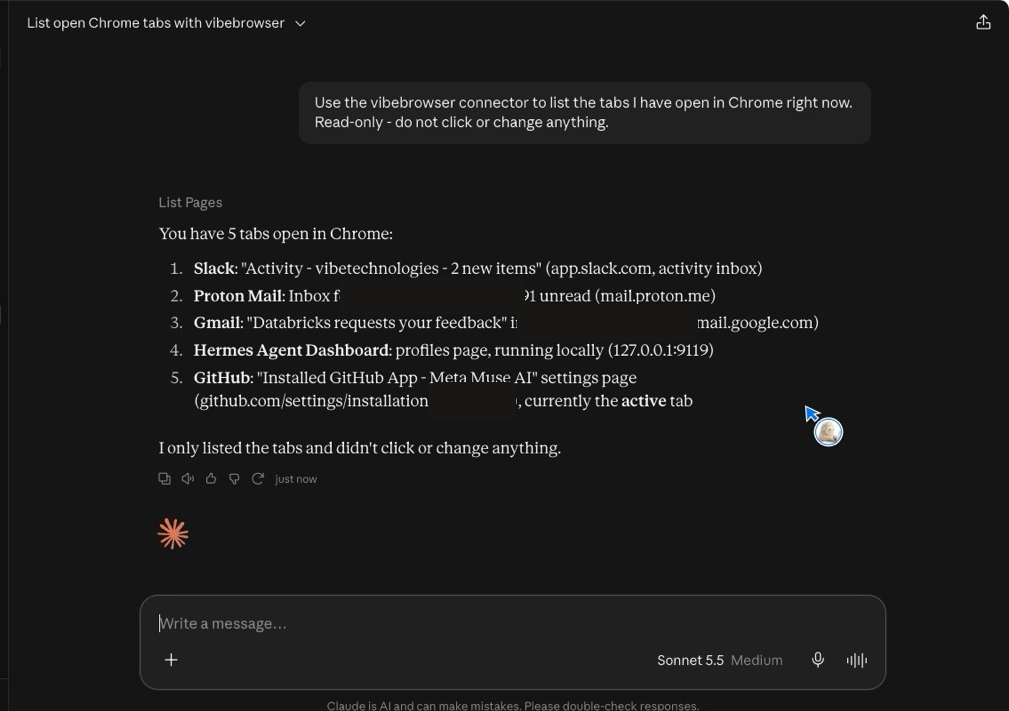
Verified end to end in a real Claude account on October 19, 2026 with the direct connector URL https://relay.api.vibebrowser.app/mcp/<your-routing-uuid>: the connector is saved under Customize → Connectors, and a live prompt made Claude call List Pages and return the real open Chrome tabs.
Setup steps
1Install the Vibe extension in Chrome
Add Vibe AI Browser from the Chrome Web Store (Chrome, Brave, Edge, or any Chromium browser). This is the piece that lets an agent drive the browser you are already logged into — no second browser profile, no re-authentication.
2Add the connector in Claude: Settings → Connectors → Add
Copy your URL first: Vibe icon → Settings → AI Agent Control → Remote (internet) → copy the Agent connection URL. Then in Claude open Settings → Connectors, click Add → Add custom connector, name it "Vibe Browser", paste the URL, and click Add. Custom connectors need a paid Claude plan.
Vibe extension → Settings → Agent connection URLurlhttps://relay.api.vibebrowser.app/mcp/<your-routing-uuid>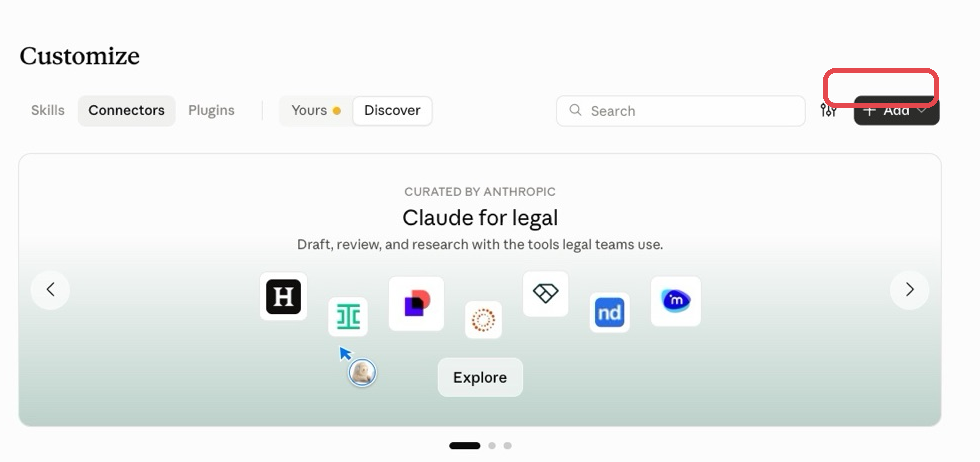
3Turn it on in a chat
In a chat, tap + → Connectors and turn Vibe on. Keep Chrome open with the extension running. Then ask Claude to open a page — your browser does the work.
Your relay URL / extension UUID grants live control of your browser session. Treat it like a password: never commit it or paste it into a shared chat.
Check it works
Go to duckduckgo.com and find out when the first GPT model was released.Expected answer: 2018
Pick this over "open google.com" because a wrong answer is unmistakable: the assistant cannot satisfy it from memory-free small talk, and you can watch the tab actually navigate. If the answer comes back as 2018 and you saw your browser move, the connector is wired end to end. If the assistant answers 2018 without your browser doing anything, it answered from its own knowledge — ask it again and require it to cite the page it opened.
Quick answers
- Can Claude control my browser from claude.ai, not just Claude Desktop?
- Yes, via a custom connector. Claude Desktop can launch a local MCP server, but claude.ai, Cowork, and mobile cannot — they need a remote MCP server reachable over the public internet. The Vibe relay is exactly that, so one connector URL covers every Claude surface.
- How do I add a custom connector in Claude?
- Open Settings → Connectors, click Add, then Add custom connector. Give it a name, paste https://relay.api.vibebrowser.app/mcp/ followed by your routing UUID, and click Add. Then in a chat use the + button → Connectors and toggle it on for that conversation.
- Claude says "You are not connected to Vibe Browser yet" — did it fail?
- No. Claude reports a custom connector as not connected until the first time a conversation actually calls one of its tools. Send a prompt that requires the browser — for example asking it to open a page — and the status resolves. If tool calls then fail, see the troubleshooting table.
- Do I need to verify a domain or get allowlisted?
- No. Claude needs no domain verification and no allowlist request for a custom connector, and there is no consent screen to approve — you paste the connector URL and that is the whole setup.